I design enterprise systems
that people actually use.
Senior UX Designer specialising in complex B2B SaaS — reducing friction, driving adoption, and closing the gap between what products promise and how people actually work.
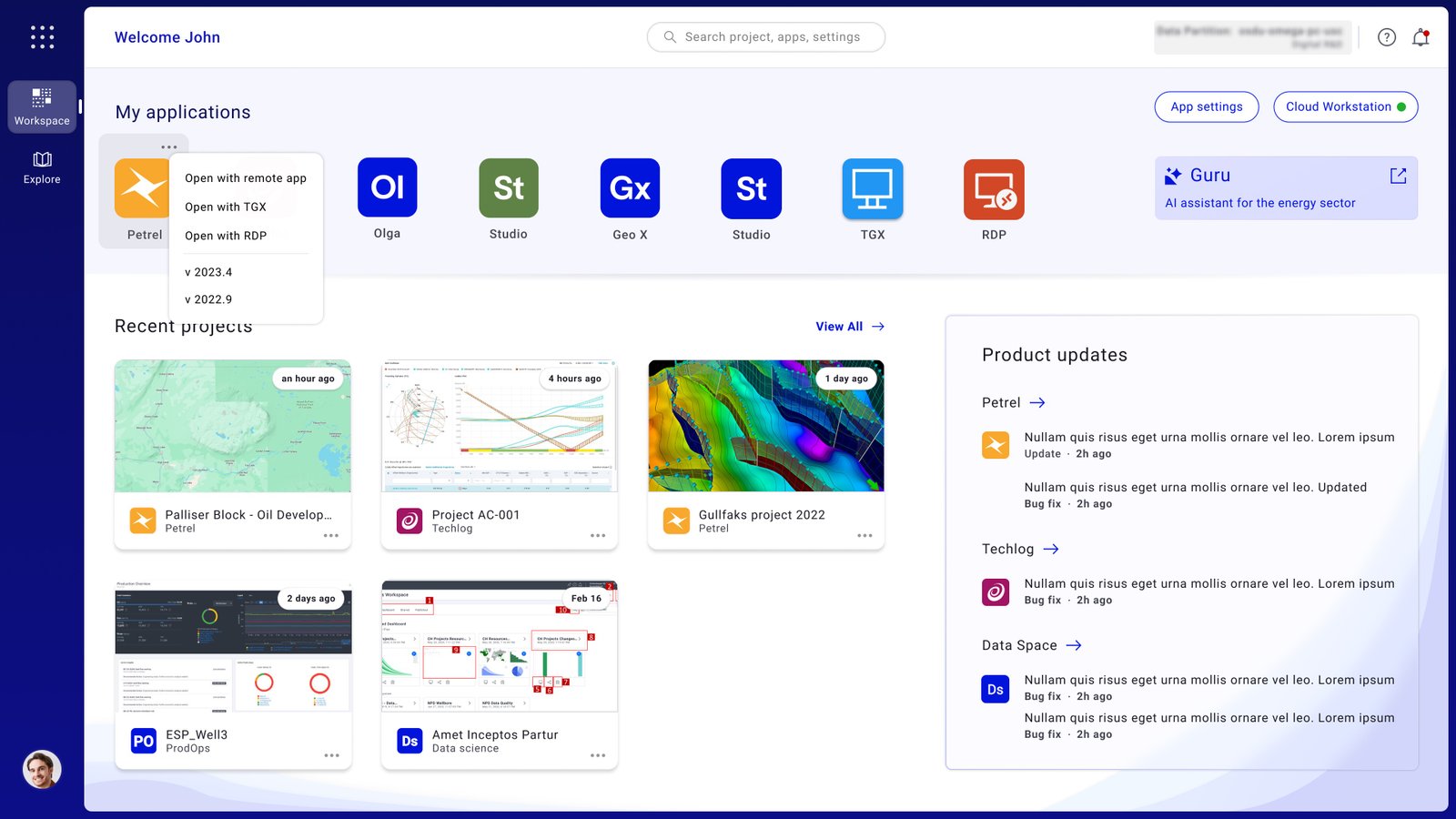
Redesigned a mission-critical geoscience workspace to unblock cloud migration — reducing core task completion from 21 clicks to 3.
End-to-end redesign of a clinical reporting tool — from zero engagement to full team adoption through targeted workflow intervention.
Scalable component library and design language for a multi-product enterprise platform serving domain experts across global teams.
Enterprise work fails when designers don't understand what users actually do. I embed in the domain before touching a screen.
I find where workflows break — not where they look broken. Click depth, cognitive load, and task failure are the real diagnostics.
Every screen is a decision point. I design for the choice users need to make — not the feature the team wanted to ship.
Design is a hypothesis. I test it, instrument it, and hold myself to the outcome — not the deliverable.
His work is impeccable and has the rare quality of simplicity.
His design solutions consistently drove stakeholder confidence and accelerated project momentum.
Bibaswan is one of the most extraordinarily talented people I have worked with.
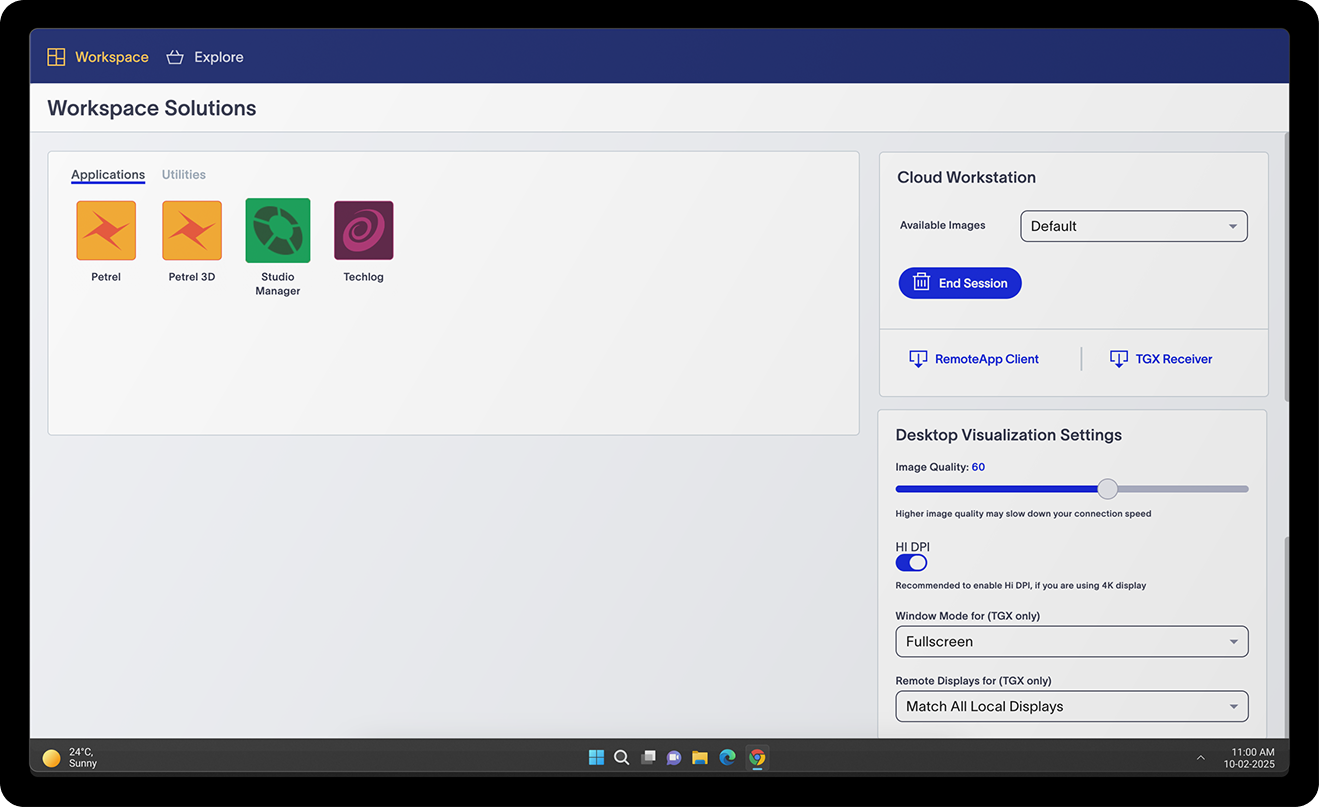
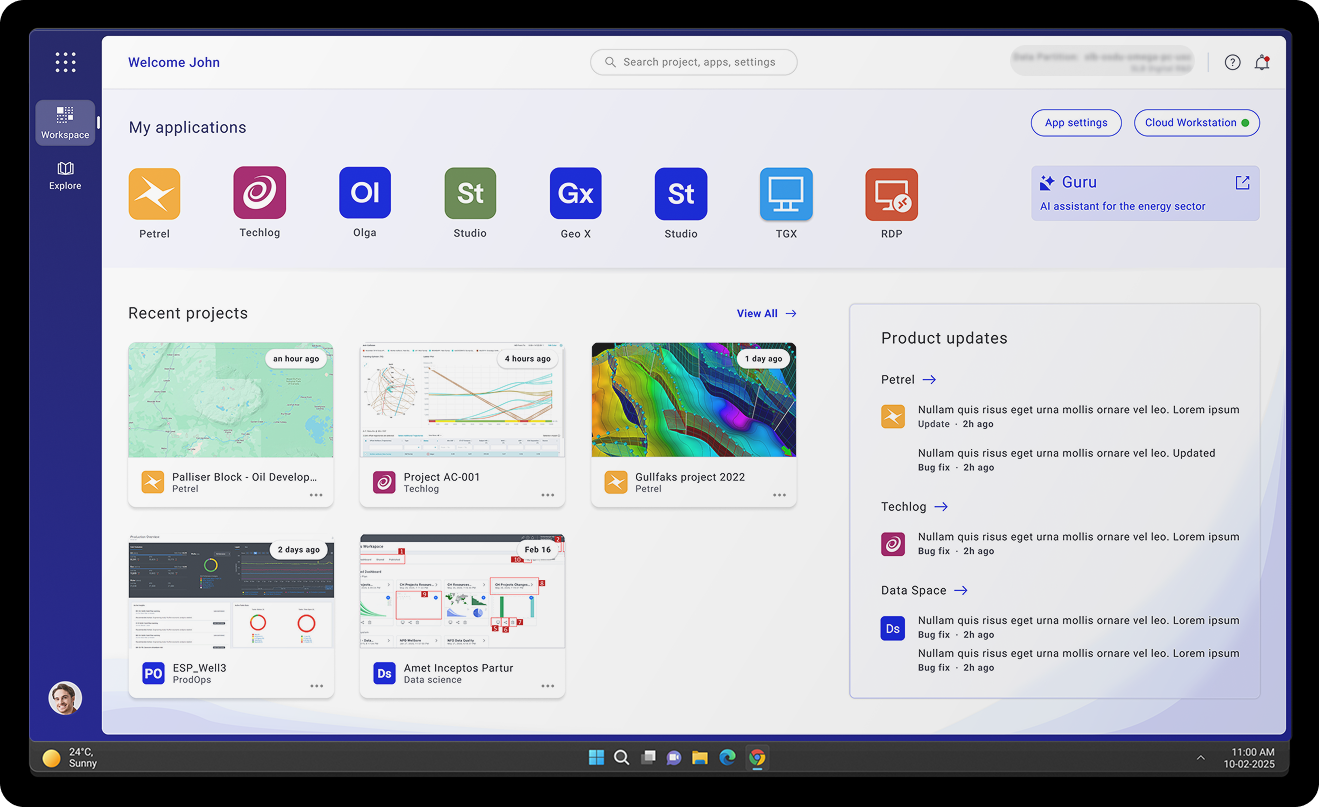
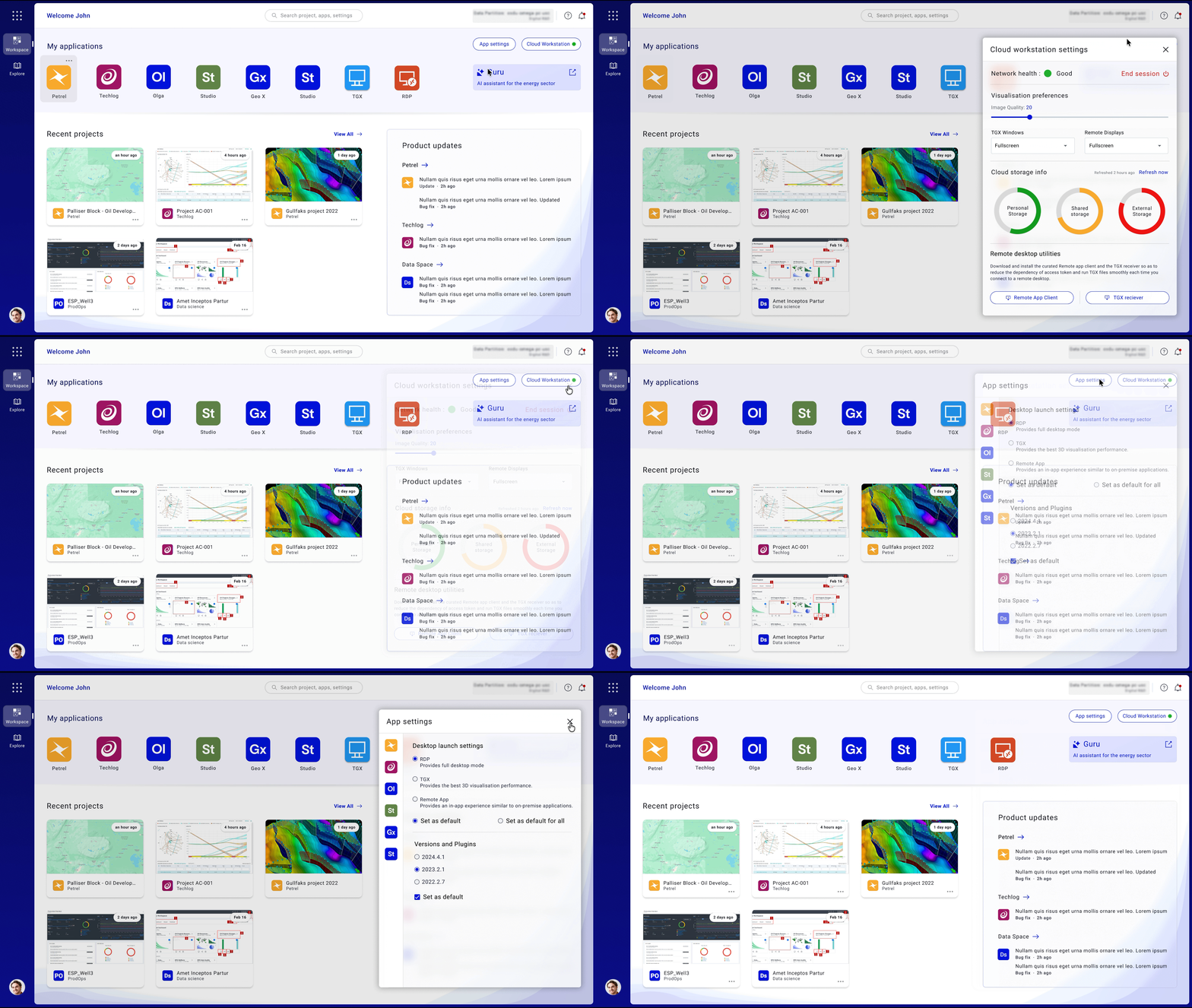
Redesigned a mission-critical geoscience workspace to unblock cloud migration — by confronting 21-click complexity and rebuilding around how geologists actually work.
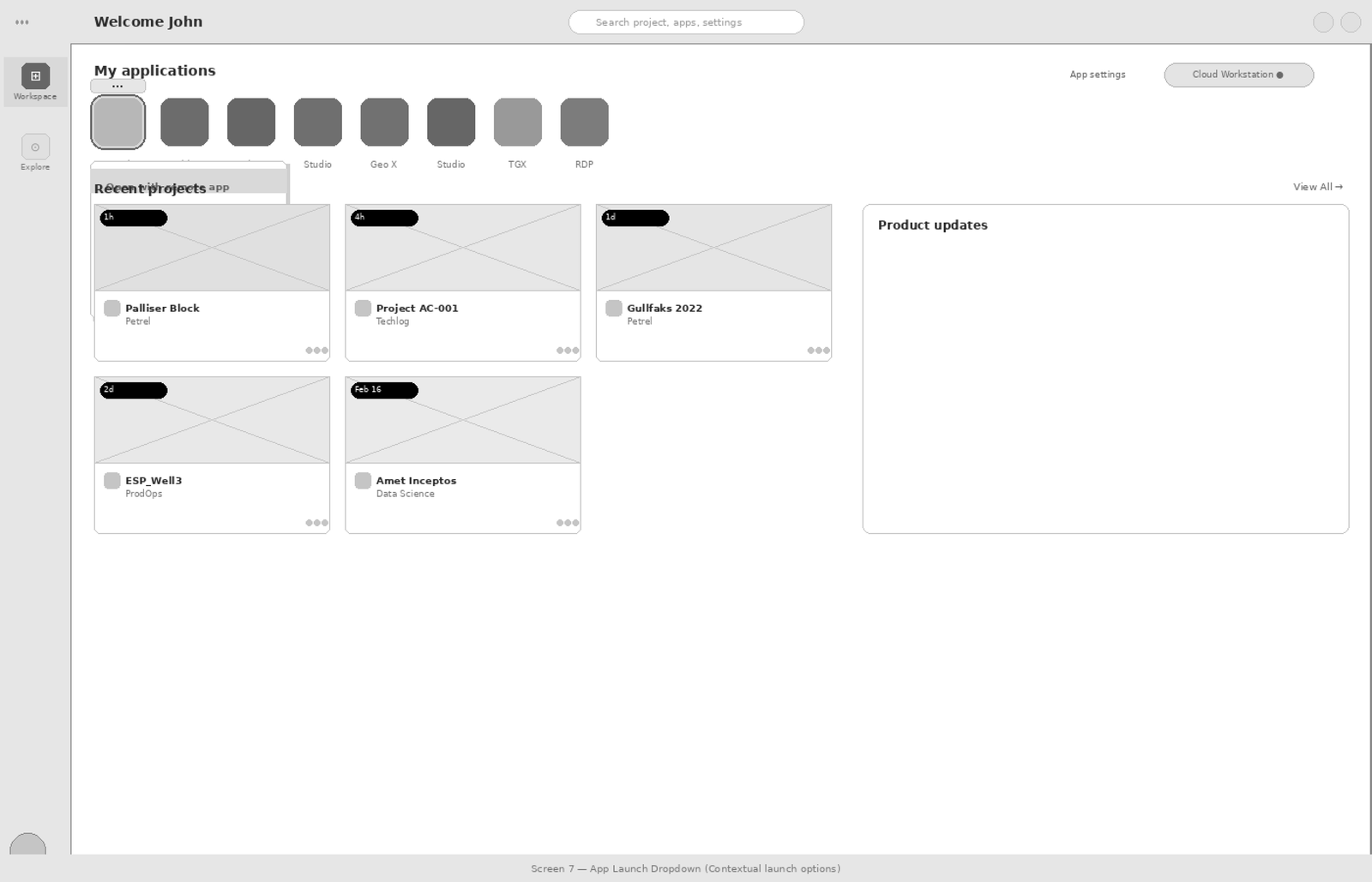
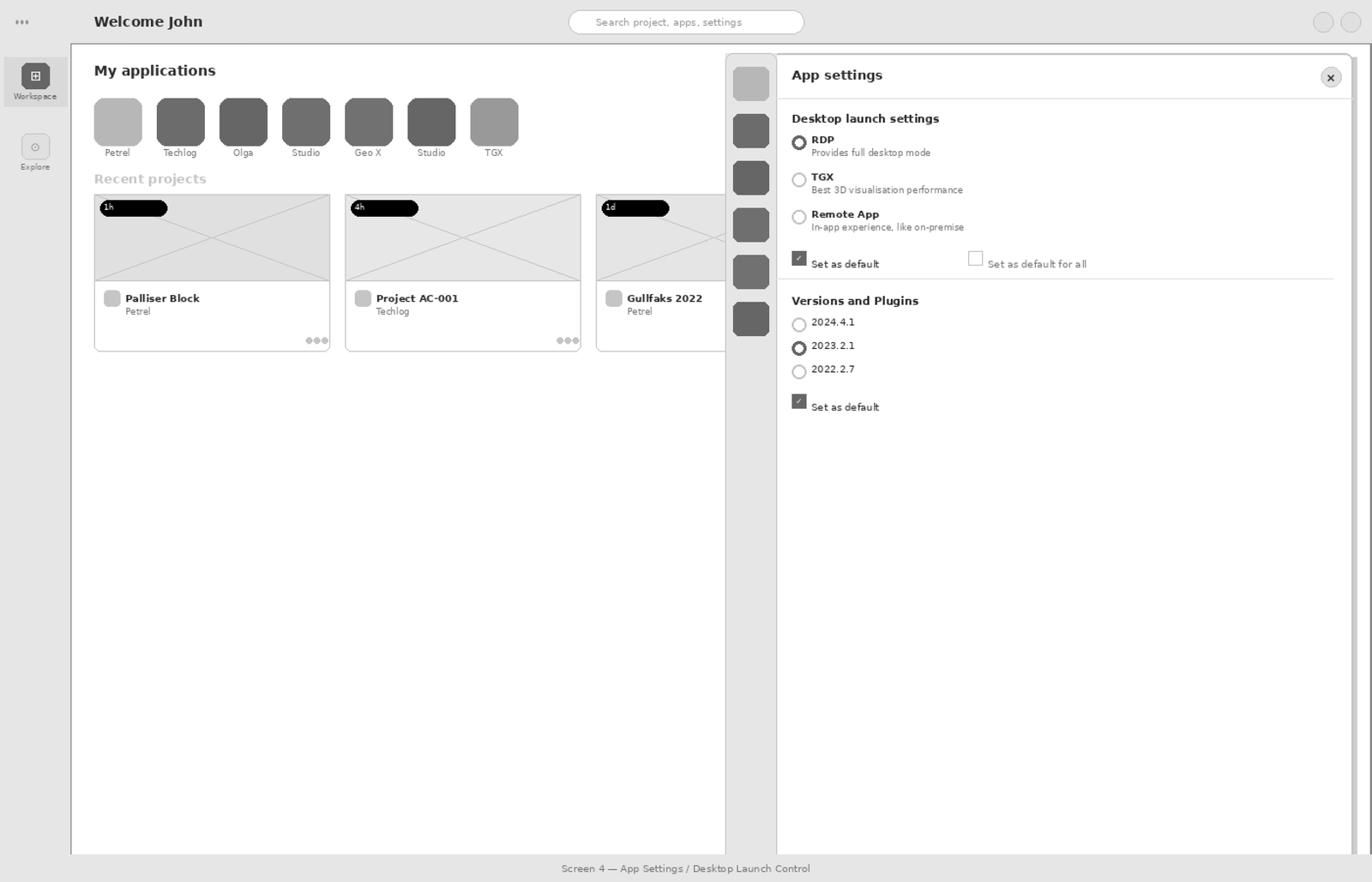
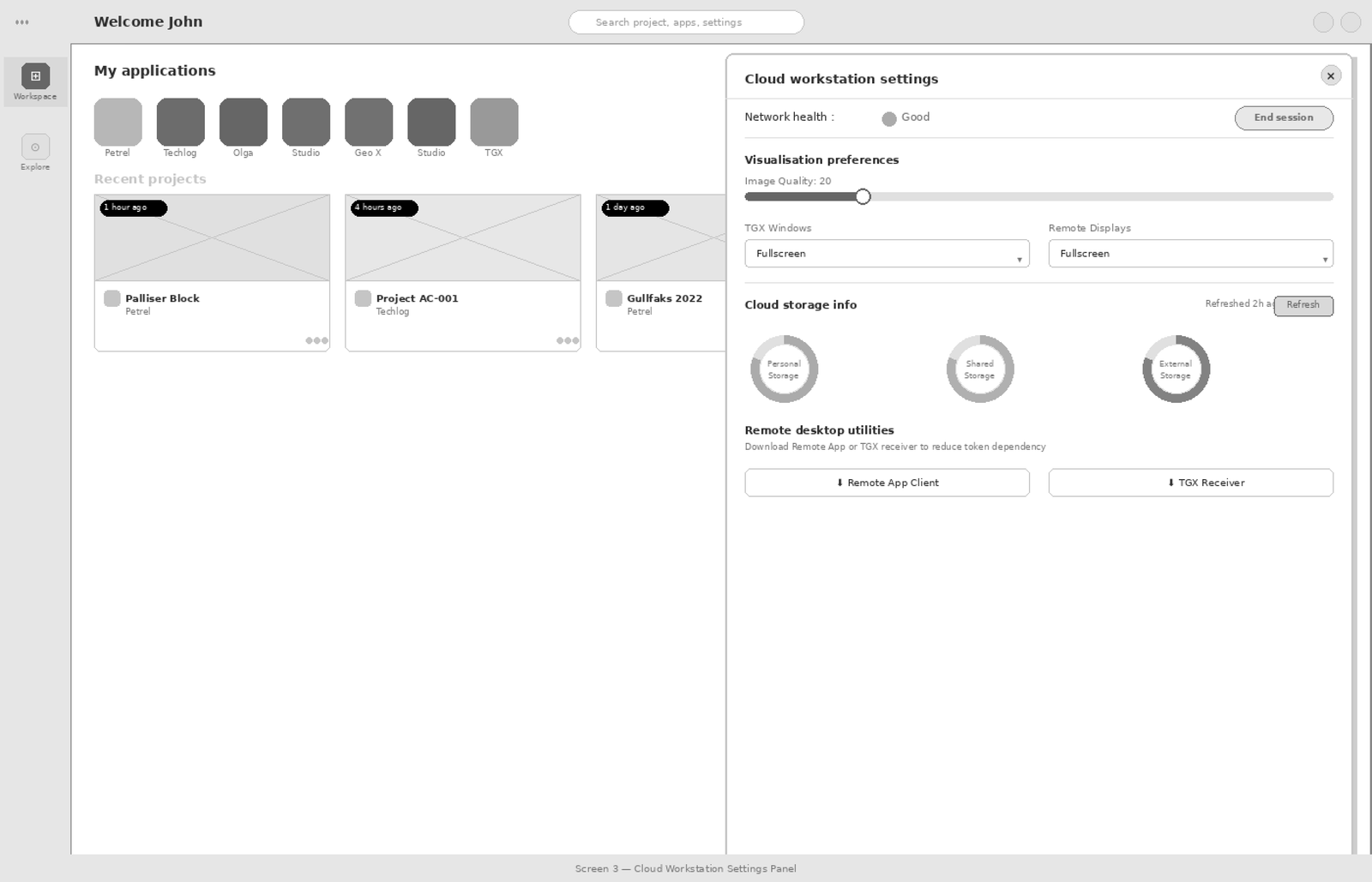
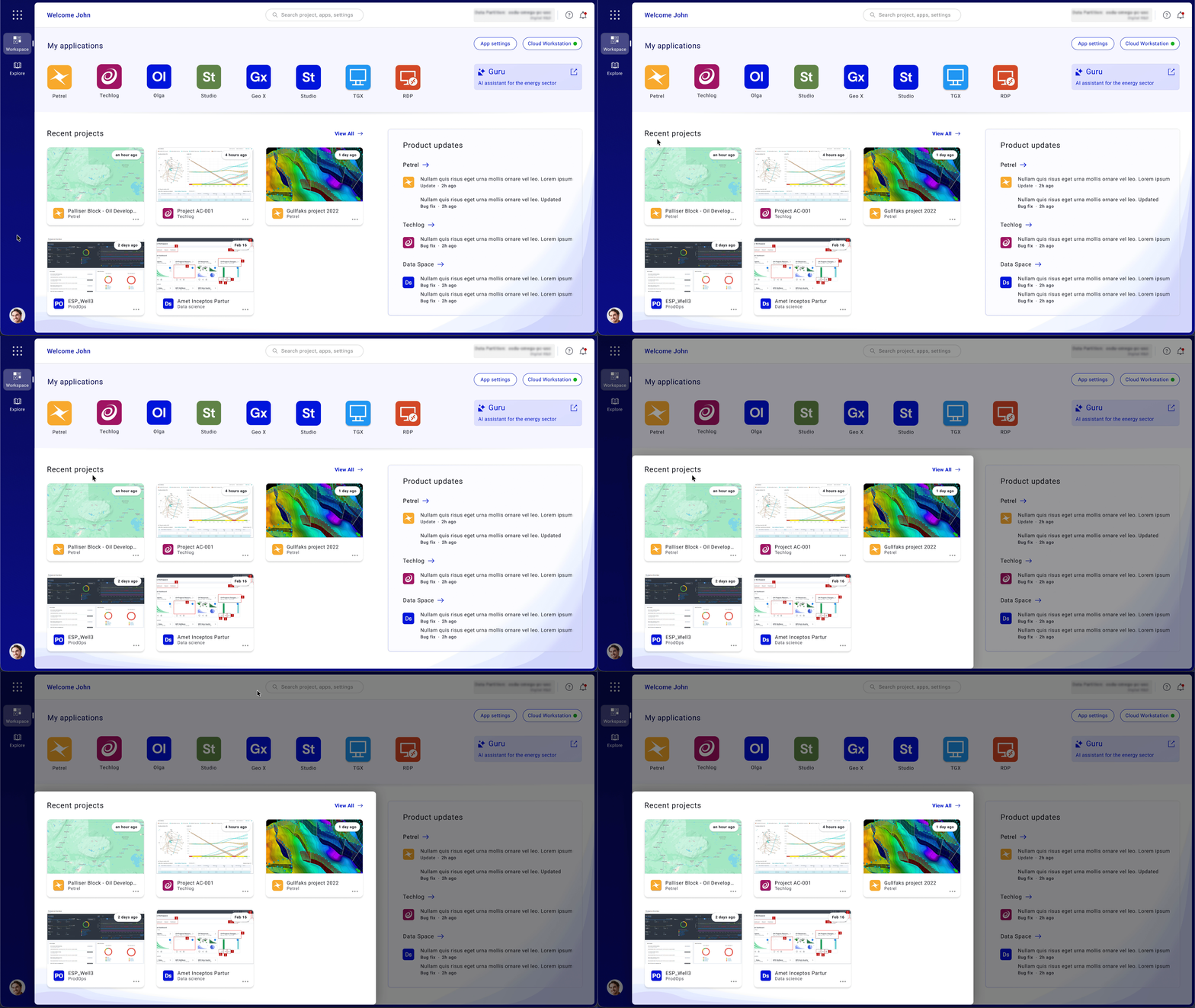
Enterprise users — geologists, geophysicists, and technical operators — needed a faster and clearer way to discover applications, resume recent work, view updates, and monitor product status. But the existing workspace experience was fragmented, forcing users to rely on manual search, repeated navigation, and disconnected tools just to begin everyday tasks.
The business consequence was direct: users were hesitant to adopt the cloud workspace because the experience created friction in daily workflows — too many steps before they could start work, weak visibility of recent projects, fragmented application access, and unclear system status.
"I spend more time navigating than actually working. By the time I get to the data, I've already lost my train of thought."
Cloud infrastructure was ready. Adoption wasn't. The gap was entirely in the user experience — and it was measurable: 21 clicks to complete a core task that should have taken 3.
I led end-to-end UX strategy for the workspace redesign — owning research direction, design principles, prioritisation calls, and validation. I also owned the hardest conversation: convincing engineering to simplify the underlying interaction model, not just rearrange the surface UI.
The 24-month timeline reflects the reality of enterprise B2B: stakeholder alignment, legacy dependency mapping, phased rollouts, and iteration on real usage data. The design took 4 months. Getting it built and shipped correctly took the rest.
The temptation was to rearrange the existing structure — make it look cleaner without changing the underlying model. I pushed back hard against this. The problem wasn't visual; it was architectural. We ran a cross-functional workshop with Engineering to map which interaction layers could be collapsed. That conversation was uncomfortable, and it took three rounds to reach alignment. It was also the decision that made 21→3 clicks possible. A cosmetic fix would have got us to 21→14 at best.


My process started with listening to users and understanding how they moved across tools, projects, and cloud workflows. To understand why users were facing friction, I studied how geologists, geophysicists, and enterprise users moved from login to actual work — analyzing the workspace not just as a dashboard, but as a daily productivity environment.

The research focused on four areas: how users accessed applications, how they resumed recent projects, how they understood cloud-session status, and where they lost time in the workflow.
I conducted feedback synthesis from 40 professional geologists and geophysicists — combining 1:1 interviews, workflow walkthroughs, support-ticket analysis, contextual inquiry, and review of product usage data. I collaborated closely with internal domain experts throughout.
| Research Method | Scale | Purpose |
|---|---|---|
| User Interviews | 40 users | Understood user needs and workflow friction |
| Workflow Walkthroughs | 3 core workflows | Mapped login, app launch, and recent work access |
| UX Audit | 5 friction areas | Identified navigation, visibility, and trust issues |
| Usage & Support Analysis | 21 → 3 clicks | Found opportunities to reduce workflow effort |
I audited the existing workspace experience across navigation, app access, recent work visibility, system feedback, and user confidence. The audit surfaced five critical failure points — not aesthetic issues, but structural problems in how the workspace communicated and responded to users.
| Heuristic | Evaluation | Finding |
|---|---|---|
| Visibility of System Status | ✗ Fail | Navigation unclear. App does not communicate well with the user — information is present but not discoverable. |
| User Control & Flexibility | ✗ Fail | User feels no sense of control. No customisations available — no ability to prioritise or personalise workflow. |
| Learnability | ✓ Pass | Terminology is fair but improvable. Basic task completion is possible for experienced users with patience. |
| Error Control | ✗ Fail | No provision for error recovery or help documentation. Edge cases produce dead ends with no guidance. |
| Operability | ✗ Fail | Inconsistent app behaviour, no rapid response feedback, no option to save defaults. Critical workflow issues. |
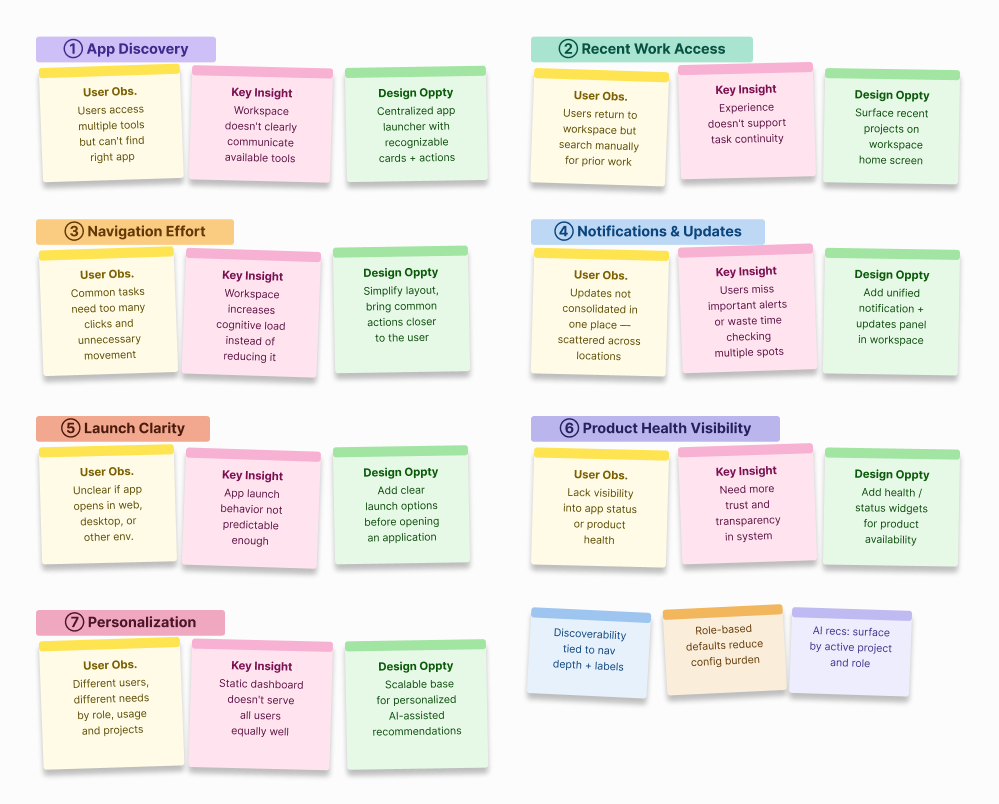
Mapping user struggles to business impacts made the cost of inaction impossible to ignore. Every friction point in the user experience had a direct operational consequence for the business — stalled cloud migration, unused infrastructure, and rising support load.
| Key Insight | Evidence |
|---|---|
| Users frequently resume the same work multiple times a day | 6 in-depth interviews with geologists and geophysicists |
| Finding "where I left off" was harder than performing the task itself | Product usage data + workflow walkthroughs |
| Tool discovery was a secondary friction — the launch flow was the primary blocker | Usage data + interview synthesis |
| Context switching between views increased errors and user hesitation | Shadowing sessions + support ticket review |
| User Friction | Business Impact |
|---|---|
| 21 clicks + multiple redirects before starting work | Users hesitant to migrate to cloud — expensive servers going unused |
| Outdated tech, inconsistent interface, high cognitive load | Users reverting to legacy systems — high cost of maintaining parallel infrastructure |
| No visibility of system status, overwhelming technical jargon | Poor app access and trust deficit — preventing business scaling and adoption targets |
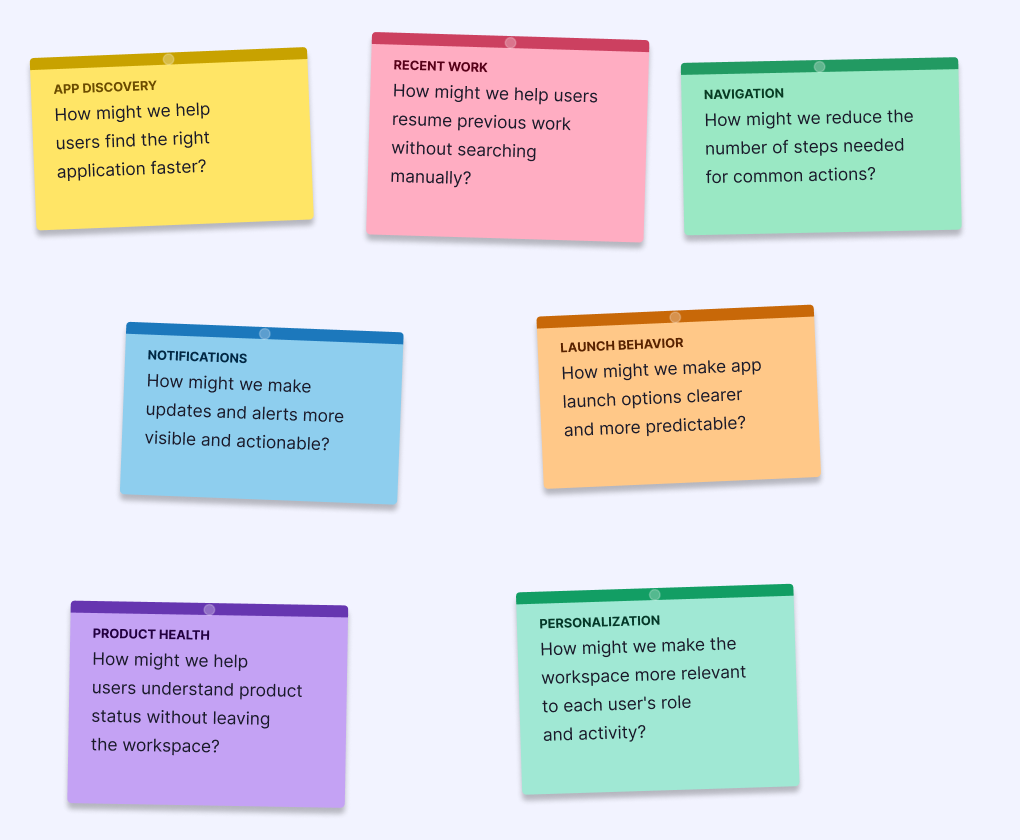
How might we reduce the steps between login and starting actual work to under 3 clicks?
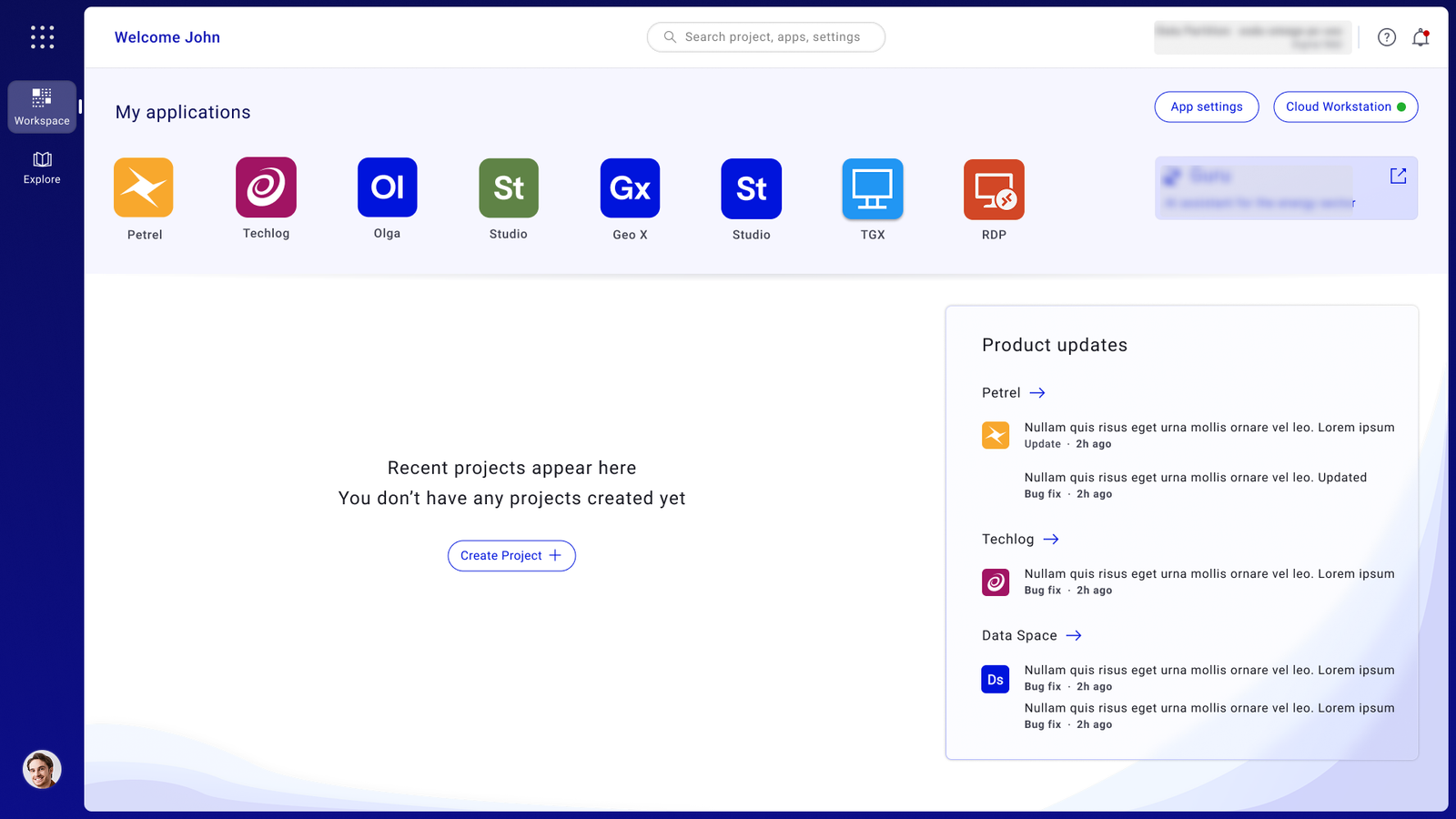
How might we surface recent projects so users can resume work without searching again?
How might we give users visibility into system health without overwhelming them with technical detail?
How might we make application discovery intuitive for both new and experienced users?

Each insight from research was mapped directly to a design intervention — and each intervention was evaluated against the value it would deliver to users. This kept the work anchored to outcomes, not features.
Based on research with professional geologists, I defined four principles that governed every design decision. Not aspirational guidelines — actual filters. If a proposed solution didn't hold up against all four, it didn't ship.
Help users continue work instantly. The home screen is not a launchpad — it's a resumption point.
Organise the interface around what users are doing, not what features the product has.
Minimise decisions required before meaningful action. Every extra choice is friction.
Simplify the workflow — never the domain. Geologists need professional-grade tools.
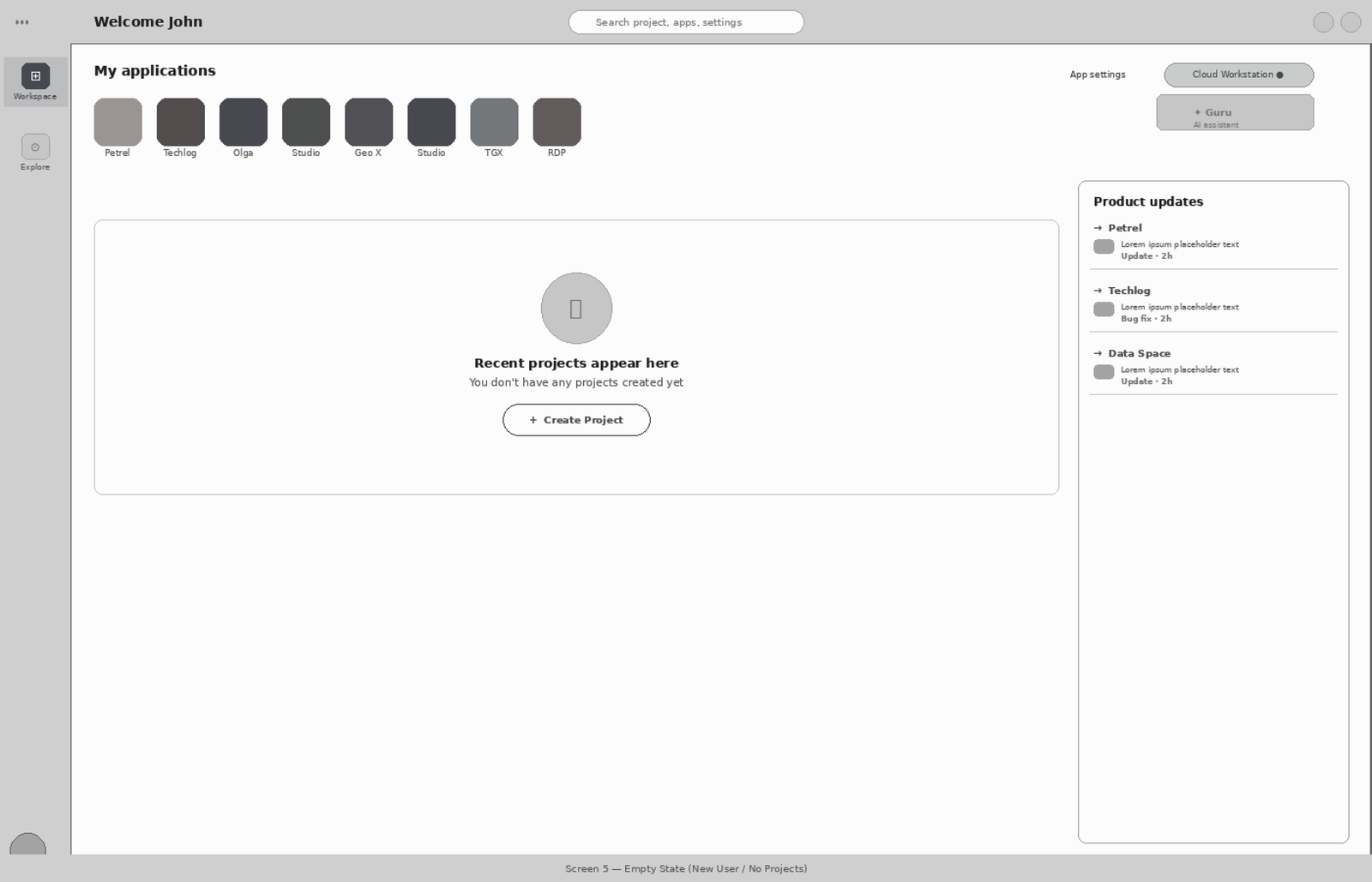
Every design decision was tied to a specific friction point identified in research. The goal wasn't to redesign the interface — it was to remove the obstacles between users and their work.
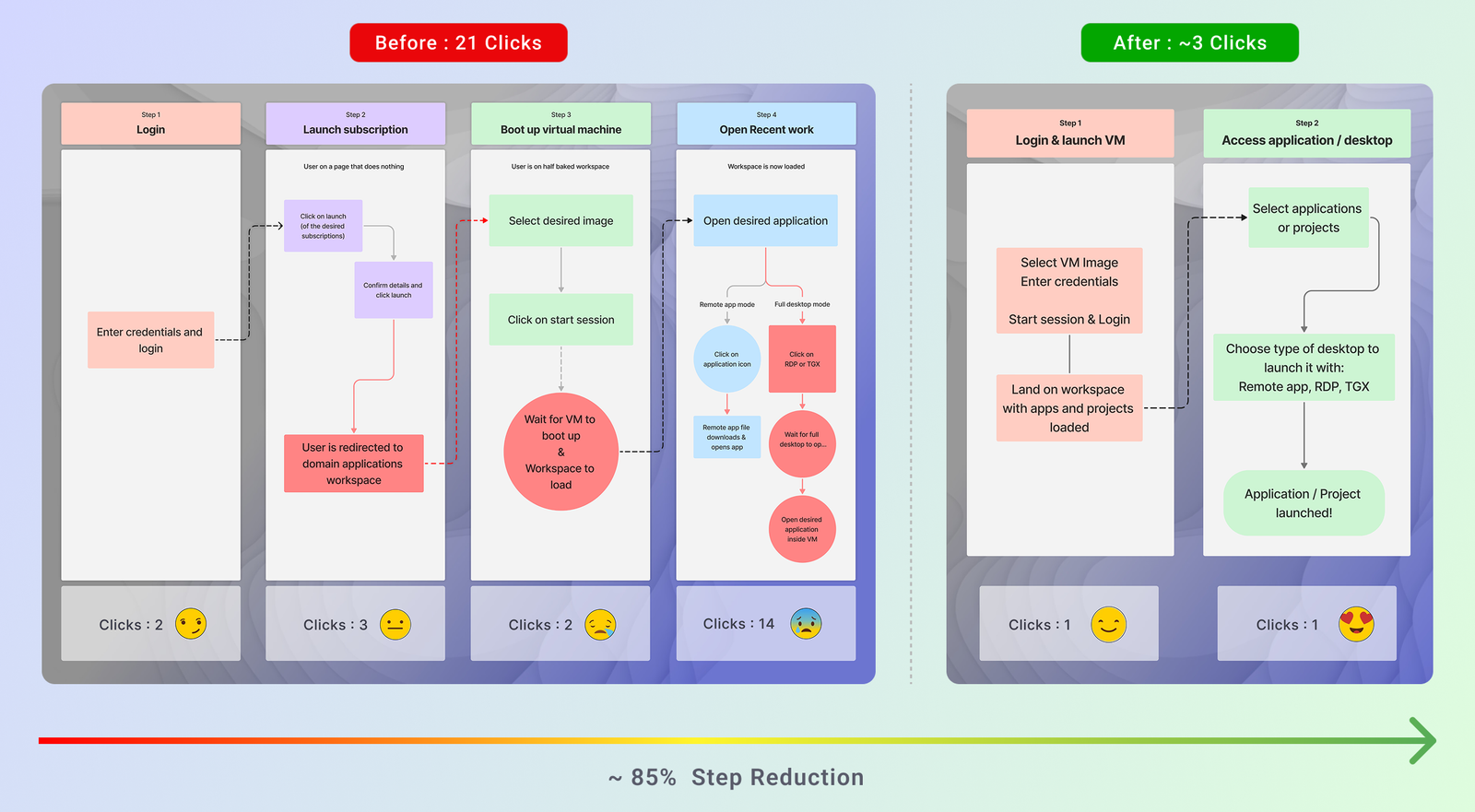
The friction map documents the exact journey users had to take before and after the redesign. It reveals where unnecessary steps, repeated navigation, and unclear states were costing users time — and shows exactly how the redesign collapsed a four-stage, 21-click process into a two-stage, ~3-click flow.
Before: Users navigated through Login → Launch Subscription → Boot Virtual Machine → Open Recent Work — accumulating 21 clicks, multiple redirects, and significant wait time before starting actual work.
After: Login & VM launch are combined into a single step. The workspace loads ready-to-use with apps and recent projects visible. One click to start working.
Within six months of launch, the redesign delivered results that were measurable across every dimension — user behaviour, satisfaction, and business adoption. The data validated not just the design decisions, but the research approach that preceded them.
The adoption rate chart below tells the fuller story — a flat growth curve from 2020–2024 that sharply inflected upward immediately after the redesign launch, reaching +13,000 new users by December 2024.